How to register and track a SPARSH grievance
Log in at sparsh.defencepension.gov.in and open Grievance. Prepare one short description, the relevant PPO/slip and proof of the error. One clear request is easier to track than several duplicate requests.
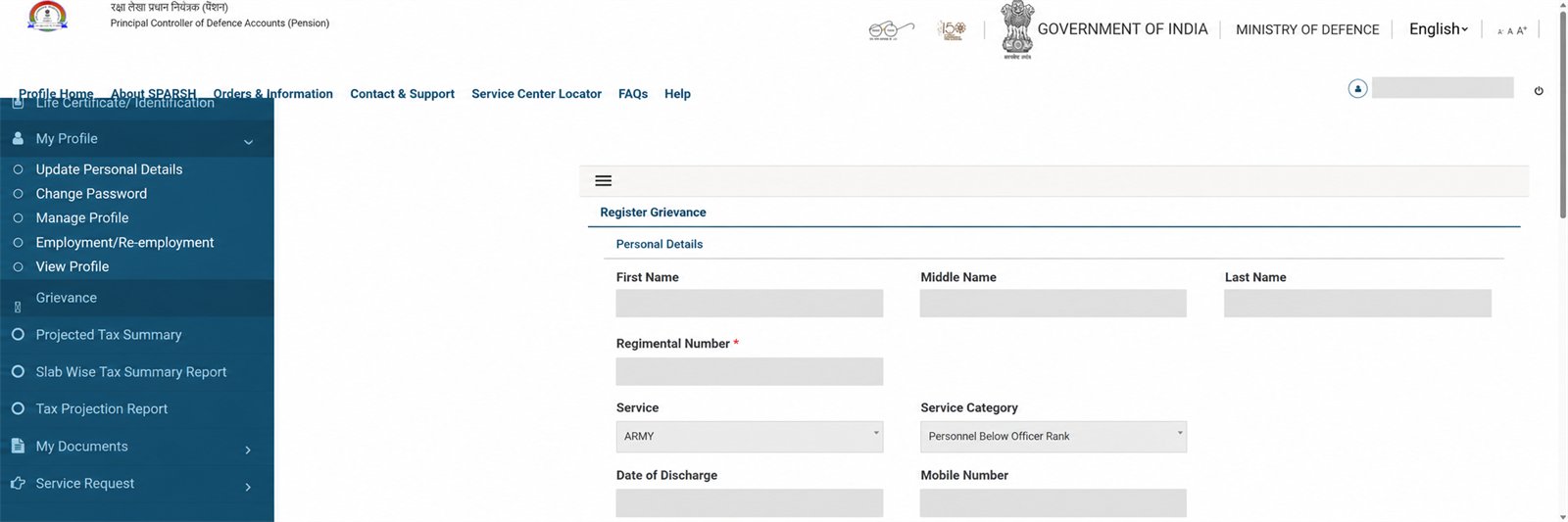
1 Open Register Grievance
Your personal details are populated automatically. Select the grievance category and the closest issue. The screen provides pension choices including Elements of Pension, Elements not sanctioned in Pension and Deduction.
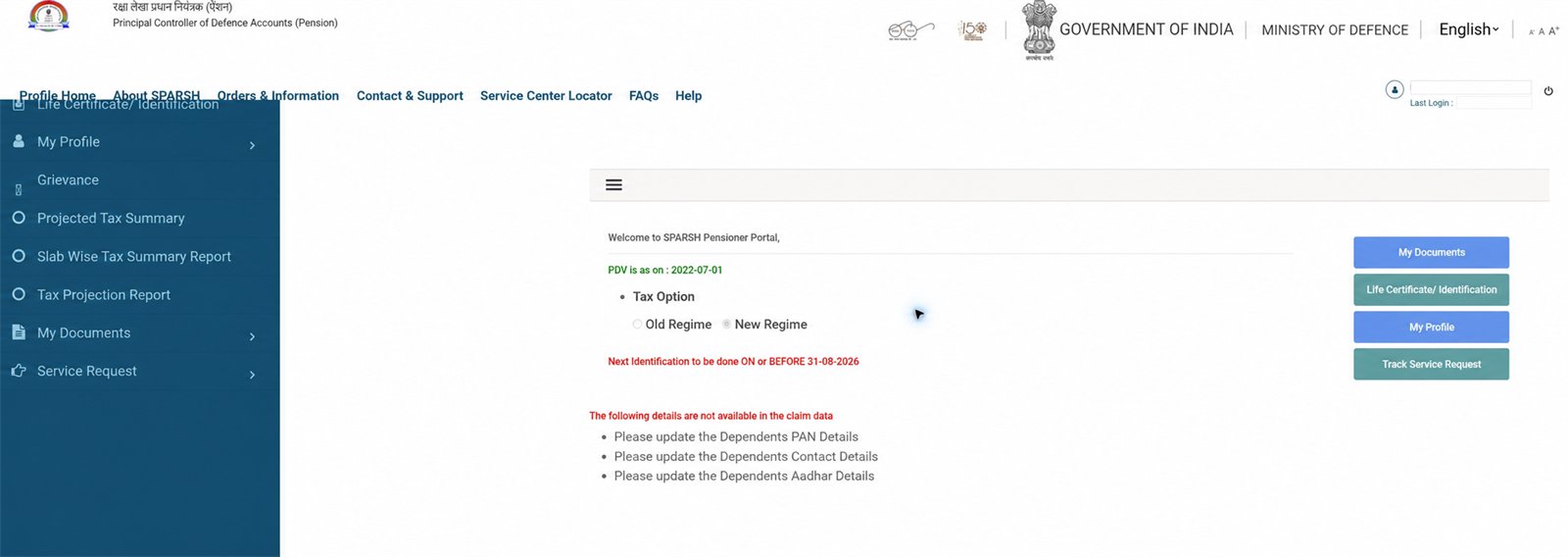
2 Track the request from the dashboard
After submission, save the acknowledgement/grievance number. Use Track Status in the side menu or Track Service Request on Profile Home. Do not create a second grievance merely because the first is pending.
Choose the issue carefully
Elements of Pension: payment does not match the sanctioned pension. Elements not sanctioned: an entitled element is missing from the sanction/PPO. Deduction: a recovery or deduction appears wrong. Choose the portal’s nearest exact category for your case.
Write a useful comment
State the PPO reference, affected month/period, expected item, amount actually shown and the correction requested. Keep it factual; do not write passwords, OTPs or full bank details in the comment.
Attach only relevant evidence
The captured form allowed one attachment up to 2 MB in PDF, JPEG, JPG or PNG. Combine pages into one clear PDF if necessary. Cover unrelated bank transactions and unnecessary personal data.
Submit once and save proof
Take a privacy-safe note of the grievance number and submission date. Do not publish the acknowledgement screenshot.
Track, then escalate through official support
Open Track Status/Track Service Request and check the latest official remark. If no useful movement occurs, quote the same grievance number to official SPARSH support or a listed Service Centre instead of opening duplicates.
Important
This page explains the portal; it cannot file, speed up or decide a grievance. Never share OTP, password, Aadhaar, bank account or an unredacted grievance screen with an unknown helper.
Related: Complete account guide · PPO guide · Pension slip guide